Scanner Utilities
Scan the barcodes below to configure the handheld VIN scanners. Steps 1 and 2 should be done in order when resetting a scanner.
Step 1
Restore to Factory Defaults
Scan this barcode first if the scanner is having connectivity issues with the PC. After scanning, proceed to scan the Adrian Steel Configuration barcode below.

Step 2
Adrian Steel Configuration
Scan this barcode to load the Adrian Steel default settings into the scanner. This reduces the beep volume and improves VIN scanning support.

Step 3
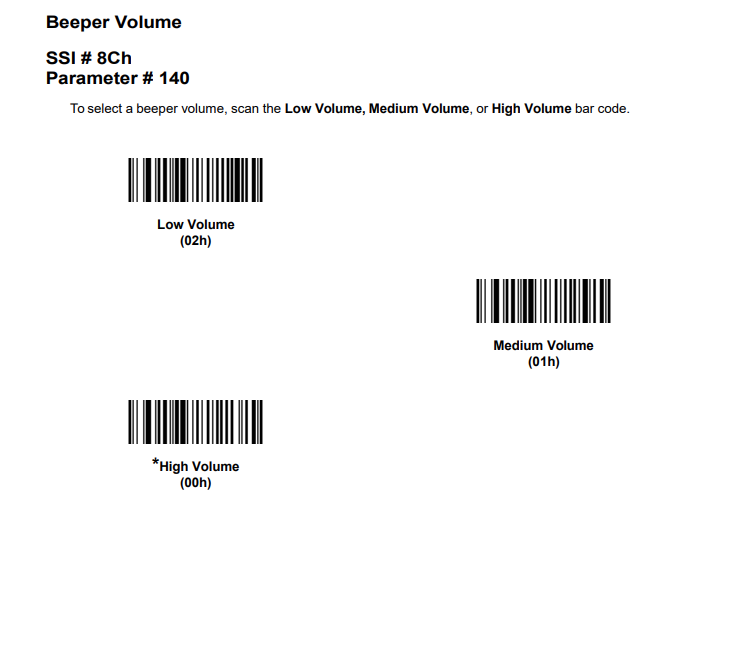
Volume Configuration
Scan the desired barcode to adjust the scanner beep volume.